Apple Intelligence / App Discoverability
Apple just opened a new discovery layer for apps.
With App Intents, App Entities, Siri, Spotlight, Shortcuts, and Home Screen search, Apple is giving apps a new way to expose their content and actions to the system layer. For product, retail, booking, service, and catalog apps, this is a new visibility opportunity.
Summary
What changed at the system layer
- The app icon is no longer the only entry point.
- Apple’s system layer can now surface app actions, content, entities, and search states.
- Apps with structured products, bookings, orders, saved items, locations, or collections have the most to gain.
- This is not traditional SEO, App Store Optimization, or a Siri shortcut checklist.
- The work is making app content understandable, searchable, and actionable at the system level.
Shift
The app icon is no longer the only entry point
For years, mobile strategy mostly meant getting someone to download an app, remember it exists, find the icon, open it, and navigate manually. The app itself was the destination. Discovery happened before the open, not through the operating system after it.
Apple’s latest system updates create another path. Siri, Spotlight, Shortcuts, Home Screen search, widgets, and contextual suggestions can become entry surfaces for app content and actions. The app is still the destination, but the system layer is increasingly involved in deciding when and how a user gets there.
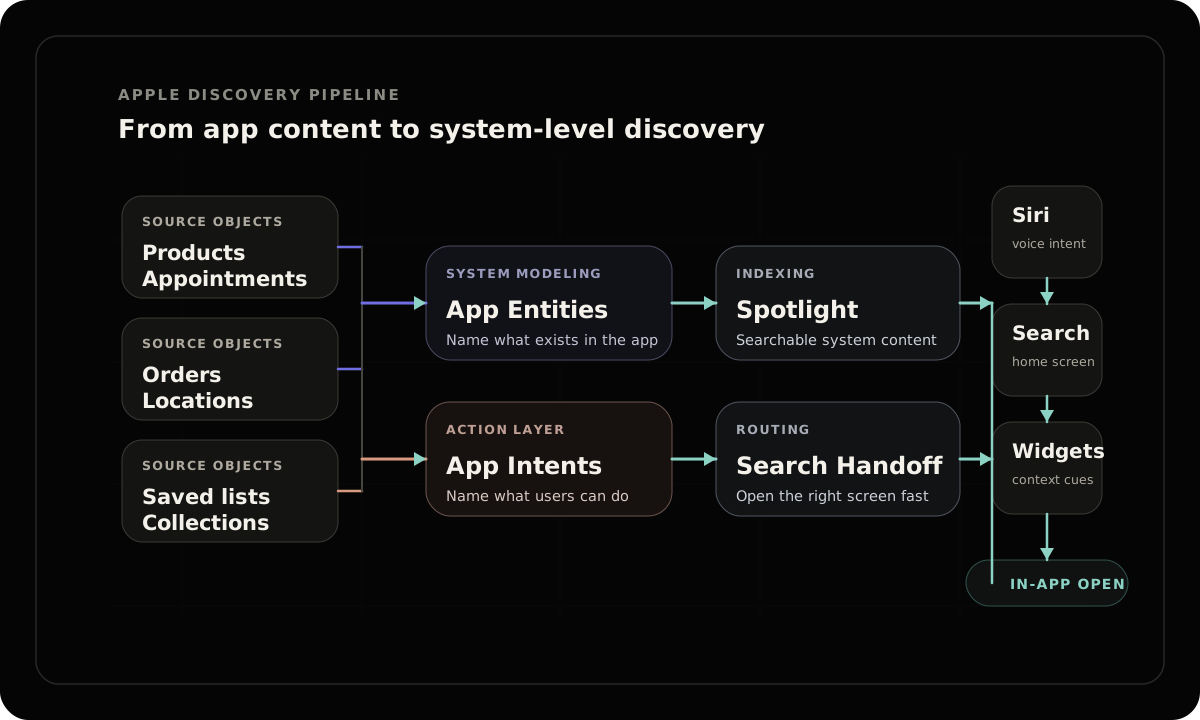
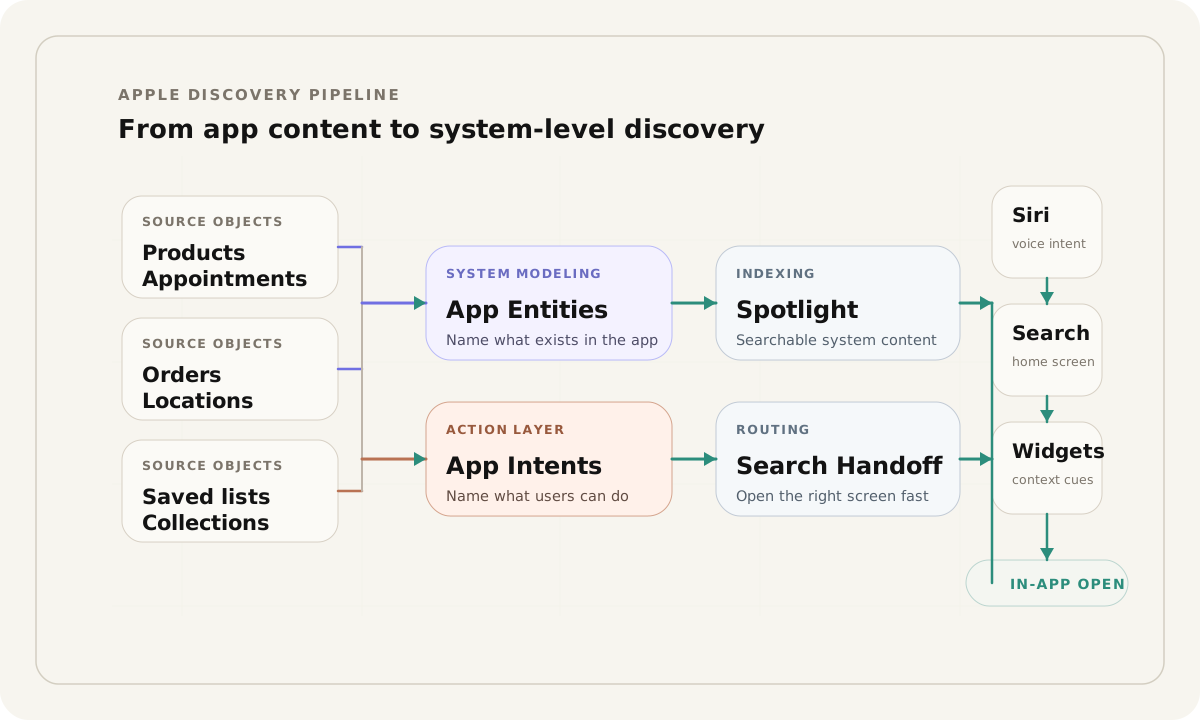
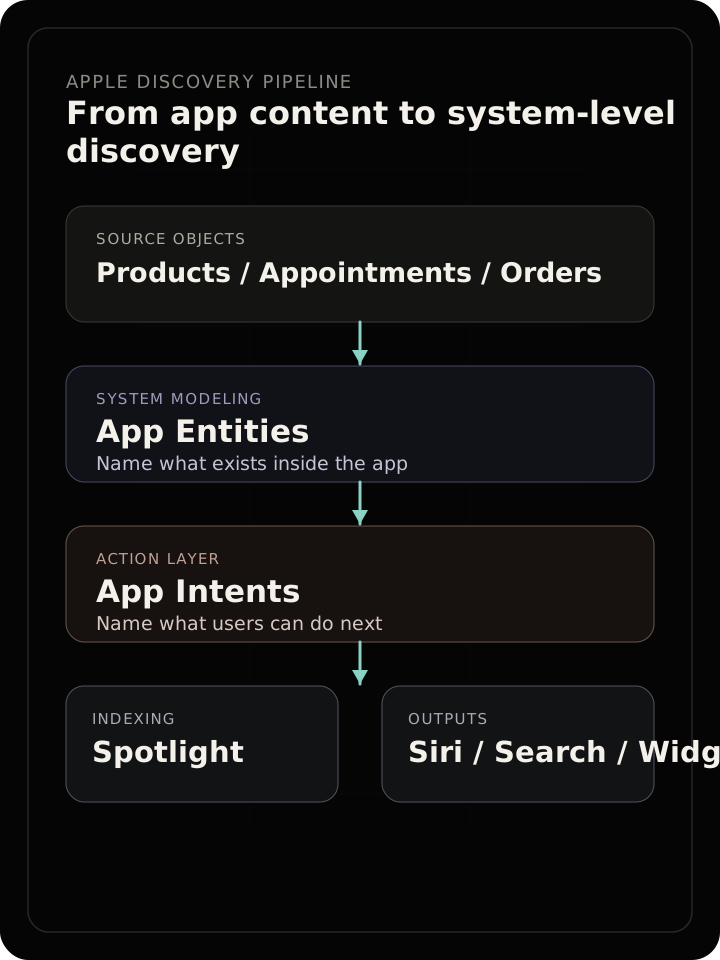
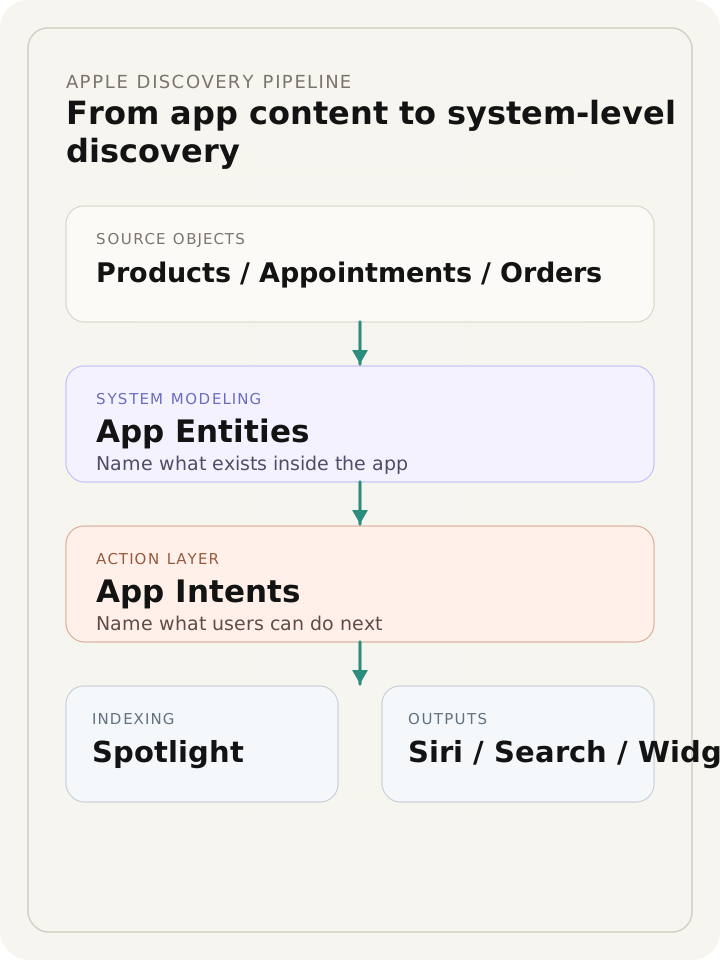
The strategic shift is not just distribution. It is structure. App content has to be modeled well enough for the operating system to understand what exists inside the app, what the user can do with it, and which screen should open when intent is expressed outside the app shell.
From app content to system-level discovery
System stack
What Apple is connecting
The new discovery layer is not a single feature. It is a stack. Actions, objects, indexed content, UI context, and testing workflows all need to line up before Apple’s system surfaces become a reliable bridge into the app.
| Layer | Surface | What it exposes | Why it matters |
|---|---|---|---|
| Actions | App Intents | Structured actions your app can expose to Siri, Shortcuts, Spotlight, widgets, and other system experiences. | Lets Apple route user intent into specific app capabilities. |
| Objects | App Entities | Products, appointments, orders, saved items, locations, collections, accounts, or other structured objects. | Gives Apple a way to reference what exists inside the app. |
| Searchable content | Spotlight indexing | Eligible app content that can surface from system-level search. | Makes app content discoverable without requiring the user to start from the app icon. |
| Deep search states | Search handoff | A path from Siri or system search into a relevant app result or search state. | Reduces the gap between user intent and the right screen. |
| Interface context | View annotations | Connections between visible interface elements and underlying app entities. | Helps the system understand what the user is looking at. |
| Reliability | App Intents testing | A workflow for validating actions, entities, and system integrations. | Keeps system integrations working as the app changes. |
Priority audiences
Who this matters for first
The highest-opportunity apps are not necessarily the biggest apps. They are the apps with structured inventory, structured actions, or repeat customer tasks. If the app contains searchable objects or repeatable actions, it may be a candidate for system-layer discoverability.
Retail apps
Apps with product detail pages, category structures, availability states, and repeat browsing behavior.
Product catalog apps
Catalogs, collections, and specification-heavy experiences where discovery often begins with search.
Furniture and home goods apps
Large assortments, configurable products, dealer or showroom contexts, and layered product attributes.
Grocery and local commerce apps
Searchable inventory, saved items, reorder behavior, and time-sensitive local utility.
Booking and appointment apps
Slots, service types, locations, and repeatable customer actions that should be easier to trigger.
Healthcare and provider apps
Structured locations, services, tasks, accounts, and states where intent resolution matters.
Hospitality apps
Reservations, loyalty, itineraries, room states, menus, and repeat visit workflows.
Real estate and property apps
Listings, saved searches, showing requests, location data, and structured entities.
Membership and account apps
Saved items, account-specific tasks, order states, and customer journeys that repeat.
Service businesses with recurring tasks
Scheduling, account access, reorder actions, location search, or repeat service requests.
Comparison
This is not normal SEO
App discoverability through Apple’s system layer overlaps with search thinking, but it is not the same discipline. The optimization target is not only a website or an App Store listing. It is the relationship between app objects, actions, indexing, and system routing.
| Discipline | Primary surface | What gets optimized | Limitation |
|---|---|---|---|
| SEO | Web search | Crawlable web pages, links, content, schema, and authority. | Does not fully expose in-app objects or actions to the operating system layer. |
| App Store Optimization | App Store | Listing, screenshots, keywords, ratings, and category presence. | Helps users find the app, not necessarily the content inside the app. |
| Shortcuts | User-created or suggested automations | Specific repeatable app actions. | Useful but too narrow if app content and entities are not structured. |
| Apple system discoverability | Siri, Spotlight, Home Screen search, widgets, contextual suggestions | App entities, app intents, indexed content, search handoff, and visible UI context. | Requires deeper product and engineering alignment. |
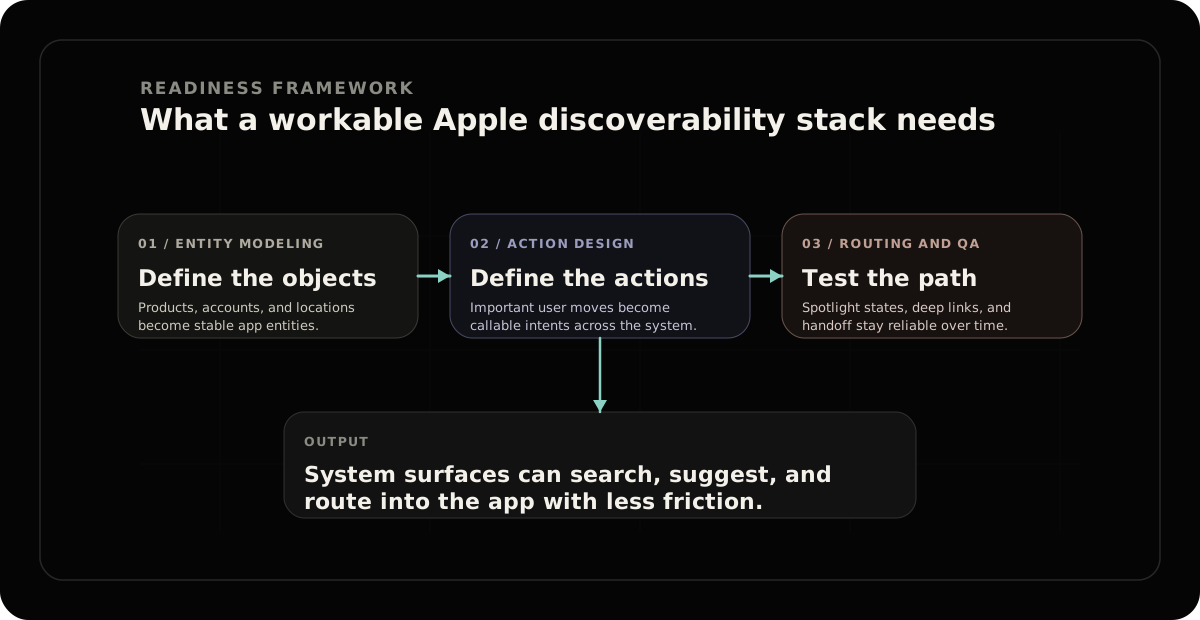
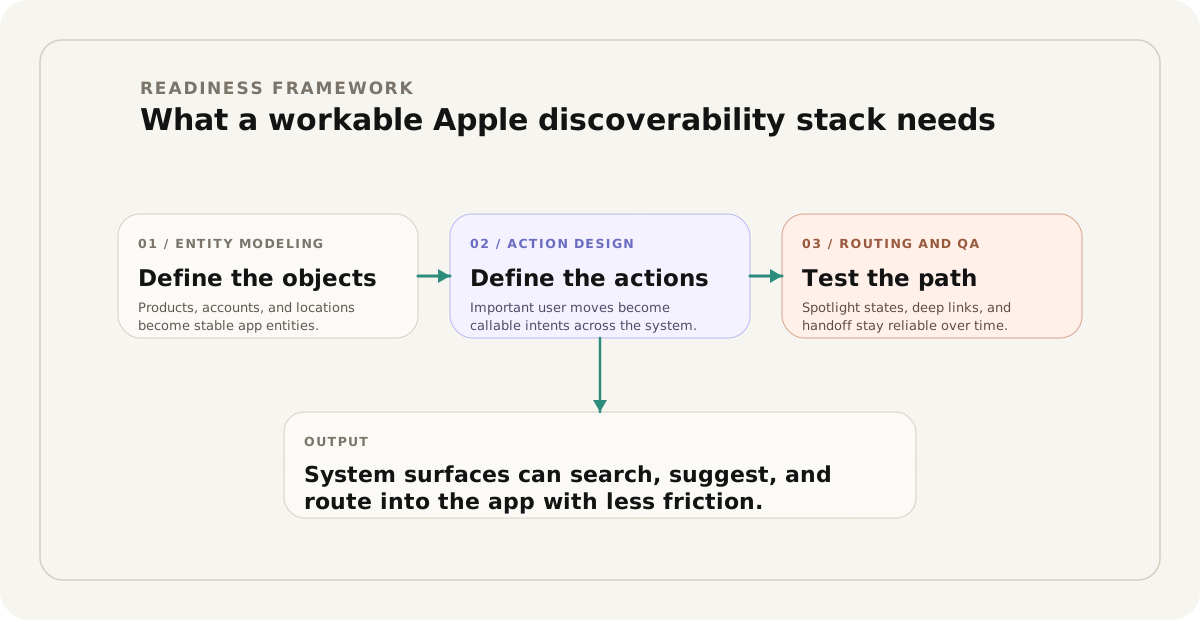
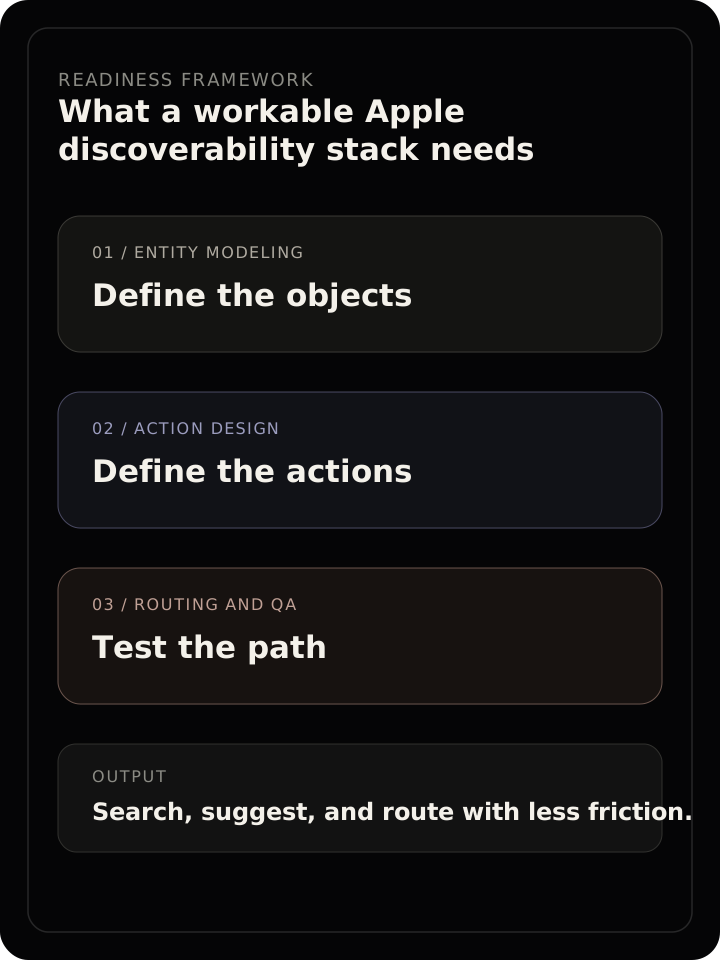
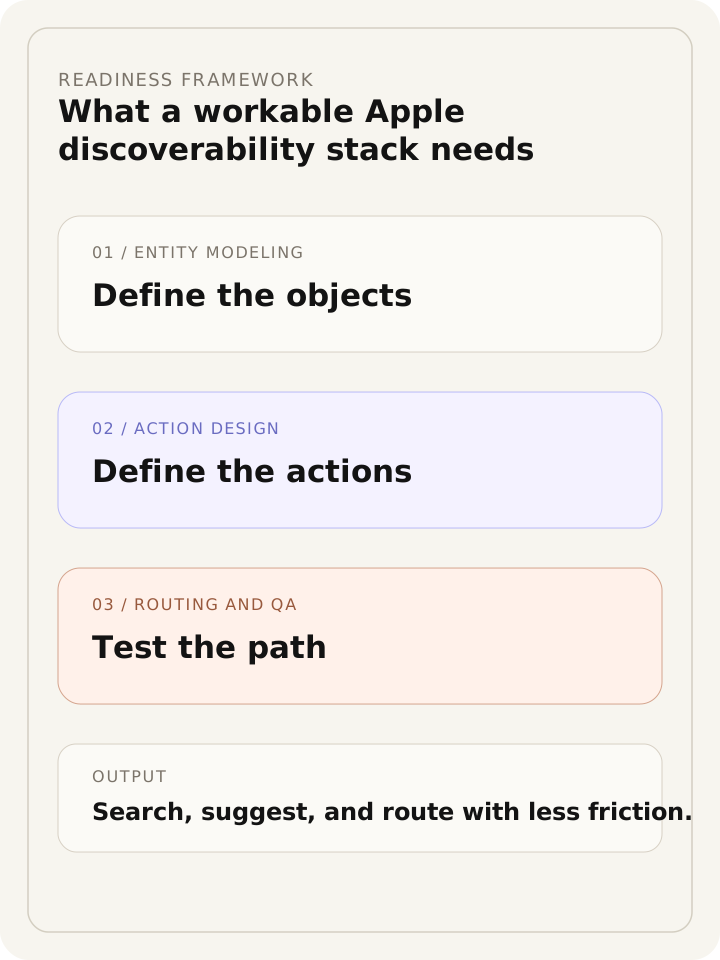
Readiness framework
What “system-ready” actually requires
This is a conceptual readiness framework, not measured performance data. It is a planning lens for product, design, and engineering teams that need to understand how far an app is from being structured, searchable, and actionable across Apple’s system surfaces.
Apple system discoverability readiness
Audit lens
What brands should audit
Most teams do not need to start with implementation. They need to start with a map. The most useful first step is to determine what the app contains, which objects repeat, which actions matter, and where the current journey forces unnecessary manual navigation.
What content inside the app should Apple understand?
What objects are repeated across the app?
What actions should users be able to trigger without navigating manually?
Which app screens should be reachable from search?
Are products, locations, bookings, orders, or saved items represented as structured entities?
Are the right actions exposed through App Intents?
Can the app maintain these integrations as features change?
Where does the user currently hit unnecessary navigation friction?
The opportunity
Brands are no longer optimizing only for the open
Brands have historically treated apps as closed destinations. A user arrives, then begins the work of finding the right object or action. Apple is gradually turning the system layer into a discovery and action surface that sits before the open.
Teams that structure content well can create shorter paths between user intent and app outcome. That matters most for companies with catalogs, locations, bookings, services, repeat purchases, or logged-in customer workflows where the same objects and actions appear again and again.
The practical opportunity is not novelty. It is compression. Fewer steps between “I need this” and the right screen, search state, or action.
Conclusion
App visibility is becoming system visibility
The next app discovery problem is not only whether someone remembers to open the app. It is whether the operating system can understand what the app contains, what the user can do inside it, and when that action should surface.
For brands, the opportunity is to make app content structured enough to be found, referenced, and acted on by the system layer.
Appendix
Key terms, readiness signals, and where Sunder starts
Key terms
- App Intents
- Structured app actions that can be exposed to Apple system experiences.
- App Entities
- Structured objects inside an app that the system can reference.
- Spotlight indexing
- A way for eligible app content to become searchable from system-level surfaces.
- Search handoff
- A path from Siri or search into a relevant app screen or search state.
- View annotations
- Connections between visible UI elements and underlying app entities.
- App Intents testing
- A workflow for validating that exposed actions and entities continue to work over time.
Readiness signals
- The app has repeated objects worth exposing.
- The app has repeatable actions worth triggering.
- Important screens can be reached directly.
- Content can be indexed or searched.
- UI context maps to real app objects.
- Integrations can be tested as the product changes.
Where Sunder starts
- Map the app’s objects, actions, and high-intent user paths.
- Identify which content should be structured as entities.
- Identify which actions should become intents.
- Review search, handoff, and indexing opportunities.
- Create a practical readiness plan for design, content, and engineering teams.
Start
Want to know if your app is ready for system-level discovery?
Sunder can help map your app content, entities, actions, and search paths into a practical readiness plan.
Framework
Explore the readiness framework
Review the surfaces, signals, and structural gaps that affect how Apple’s system can understand your app.
See Audit Approach